Serious research without the learning curve.
Survey software that is quick to learn, with the methods a full research suite offers: quotas, email campaigns, pricing studies, significance testing and conjoint, on the plans that include them.
57 question types. Flat, published pricing. No credit card to start.
A Word questionnaire becomes a survey, goes out by email, fills its quotas, and ends on this crosstab.
- Build
- Distribute
- Field
- Analyse
- Deliver
Quick to set up, easy to read.
- Import what you already haveUpload a Word doc, a PDF or an exported survey and AI rebuilds it as a Surveti survey, logic included.
- A builder that shows the real thingThe preview is the survey your respondents will see, with your logic, piping and randomization live.
- See your logic as a mapThe Flow view lays out your questions and marks the ones whose logic has a problem.
- Results the moment they arriveEvery question gets a chart that fits its type, with no setup.
Everything the hard studies need.
- Advanced methods, properly scoredConjoint and MaxDiff with real experimental design and hierarchical Bayes scoring, on Research Team.
- Fieldwork controlsQuotas and fraud checks, plus incentives on Professional and panel sample from Cint and Prolific on Professional.
- Analysis your stats team will acceptCrosstabs from Solo, significance testing on Professional, weighting on Research Team, and SPSS export on Professional.
- Hand-offs that travelExport the questionnaire to Word, PDF or Qualtrics QSF, with a codebook of every variable.
One tool for the whole study.
Five stages, each with a look at the product and a link to the page that covers it in depth.
Write it, import it, or start from a template
A full range of question types, skip and display logic, piping, randomization, and bilingual fielding in English and Spanish with per-locale translations.
- AI import from Word or another survey tool
- Flow view that marks logic problems
- Your logo, colors and survey title
A question is added, a skip rule is set, the Flow map redraws.
Email campaigns with reminders that run themselves
Send invitations, schedule follow-up reminders, and see who opened, started and finished.
- Multi-step reminder sequences
- Delivery and response reporting
- Share links and QR codes
- Email campaigns on Solo and up
An invitation and two reminders go on a timeline and the counts fill in.
Fill the sample you planned, with data you can trust
Quotas track every cell while bot defense, attention checks and quality scoring screen each response.
- Independent or interlocked quotas, and you choose per survey whether a filling quota ends in-progress respondents or lets them finish
- Gift-card incentives on Professional and up
- Flagged responses held for your review
See data quality and fraud checksSee quotas and survey logic
Quota bars fill toward target while a flagged response is set aside.
From topline to crosstab without leaving the page
Results appear as they come in, with a chart for every question. Cut them by any segment and test the differences.
- Crosstabs from Solo
- Significance letters on Professional and up
- Weighting on Research Team and up
- Filters and saved views
A chart is cut by region and the significance letters appear.
Reports, slides and data files you can hand over
Share a live report link, export slides, or hand the data to your analysts.
- Report builder with shareable links, no login needed
- Slide export
- SPSS export on Professional and up, plus Excel and CSV
- Questionnaire export to Word, PDF and QSF
A results page becomes a slide, then the export menu opens.
The methods researchers ask for, ready to field.
Each one is set up in the builder and fielded alongside the rest of your questions.
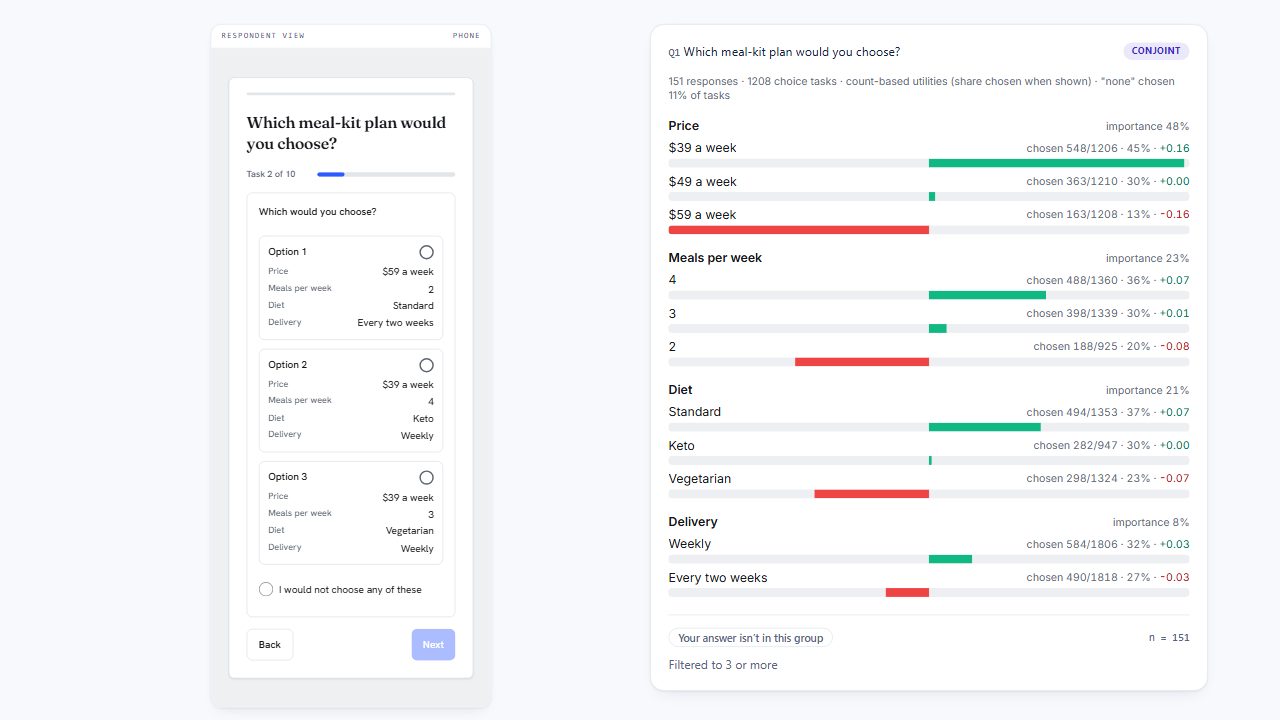
Choice-based conjoint
Choice tasks from a real experimental design, with hierarchical Bayes part-worths, on Research Team.
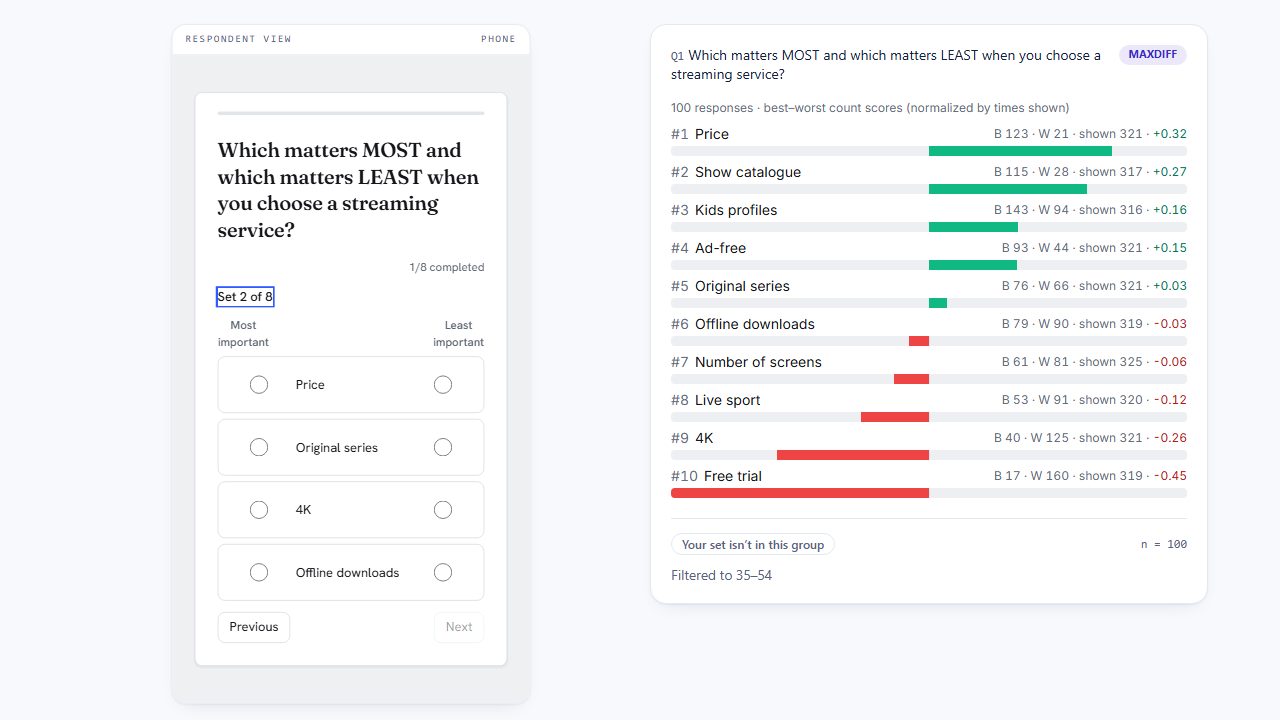
MaxDiff
Best–worst scaling with hierarchical Bayes scores, on Research Team.
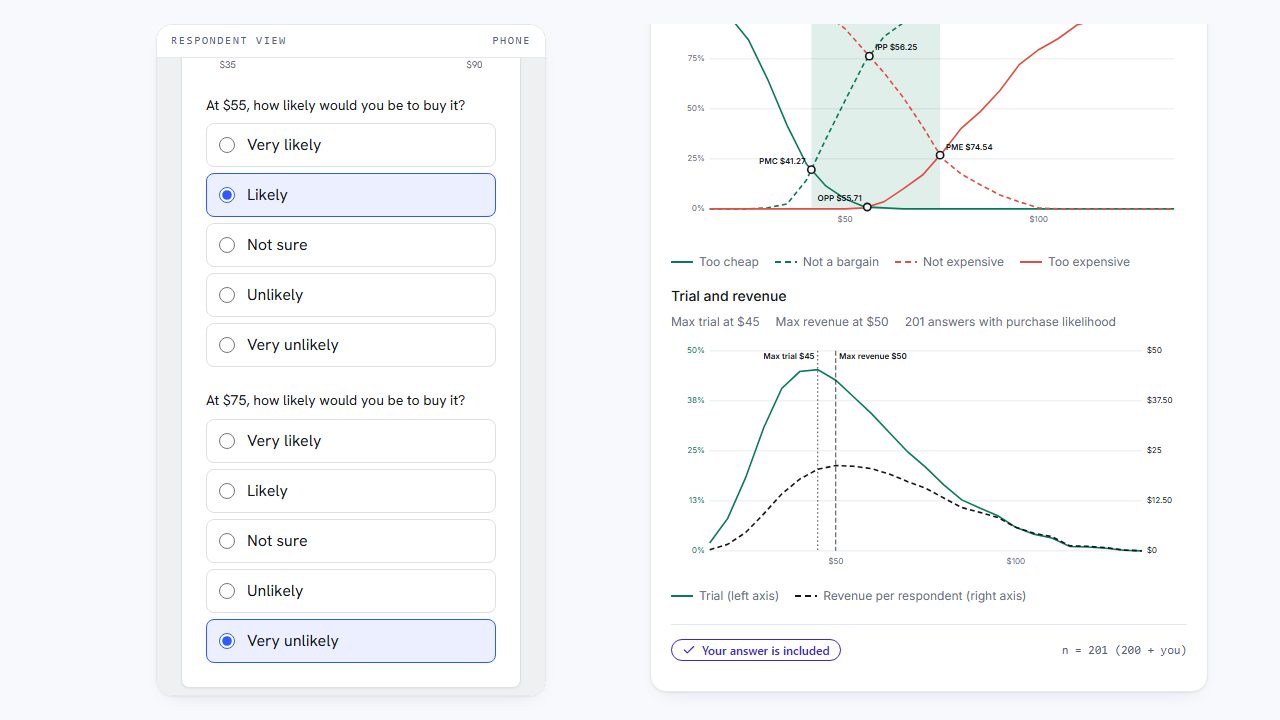
Price sensitivity
The Van Westendorp price meter.
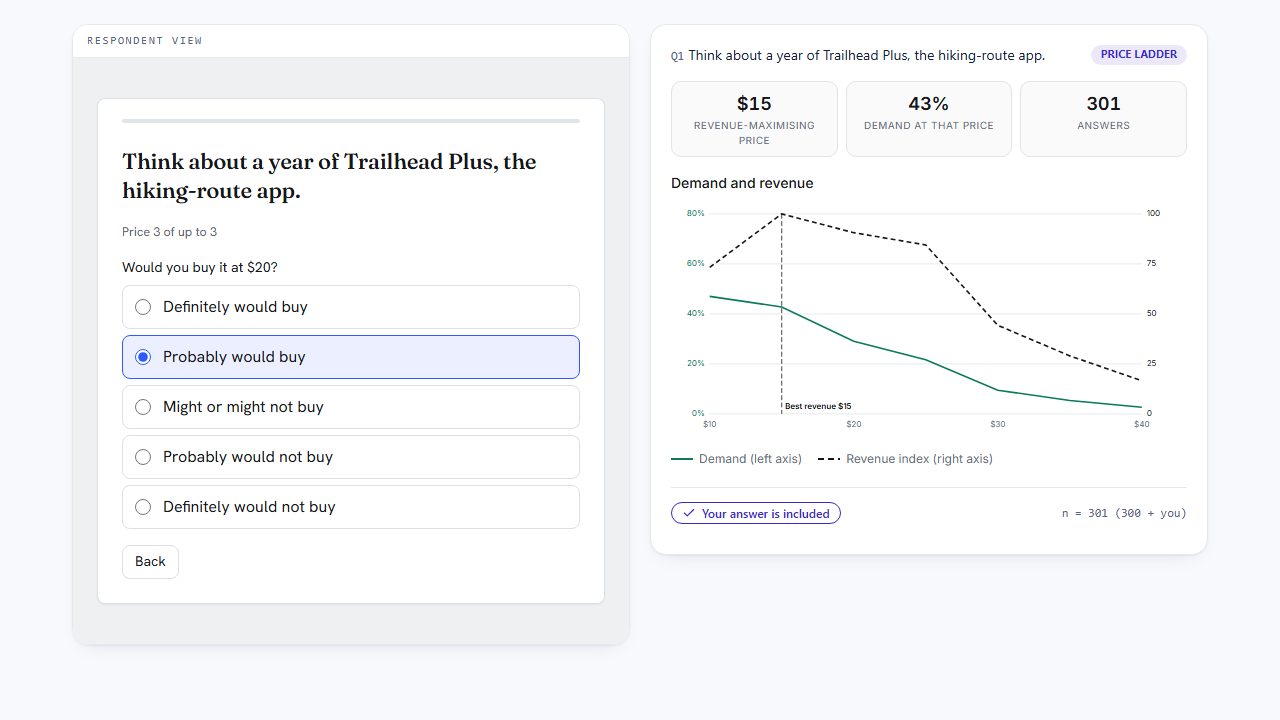
Price ladder
Purchase intent at stepped prices.
Kano
Sort features into must-haves and delighters.
Five-second and first-click tests
Quick reads on designs and layouts.
Perceptual map
Place brands on two axes, with an ideal point.
AI-probed open ends
Follow-up questions that adapt to each answer.
AI where it saves time. Off where you don't want it.
- Import
- Rebuild an existing questionnaire as a programmed survey.
- Probe
- Ask respondents a follow-up when an open end is thin.
- Summarise
- Draft report summaries you can edit before sharing.
- Controlled
- Metered on one credit ledger, and one switch turns AI off for the whole workspace.
A short answer gets a follow-up question and a fuller reply.
The depth of a research suite. The ease of a form builder.
| Feature | Surveti | Enterprise suite | Basic survey tool |
|---|---|---|---|
| Pricing | Flat and published | Often quote-based | Often published, sometimes per seat |
| Conjoint and MaxDiff | Included on Research Team | Often a higher tier or add-on | Often not offered |
| Significance testing and SPSS export | Included on Professional | Often included | Often limited or a higher tier |
| Panels and incentives | Built in on Professional | Usually a separate service | Often a separate product |
| Time to first survey | Quick to learn, with AI import | Often needs onboarding | Usually quick |
| Over your response cap | 500-completes pack for $25, instant resume | Depends on contract | Hard cap on many plans |
Flat plans. No per-seat surprises.
Solo
$29 billed monthly
- 1,000 responses / month
- Core question types + logic
- Crosstabs · CSV / Excel export
- 25,000 AI credits / month
Professional
$99 billed monthly
- 3,000 responses / month
- SPSS export + significance testing
- Incentives · panels · branding removal
- Video open ends + transcription
Conjoint and MaxDiff start on Research Team and are included on Enterprise. Need more completes? Add a 500-completes pack for $25 and your surveys resume instantly.